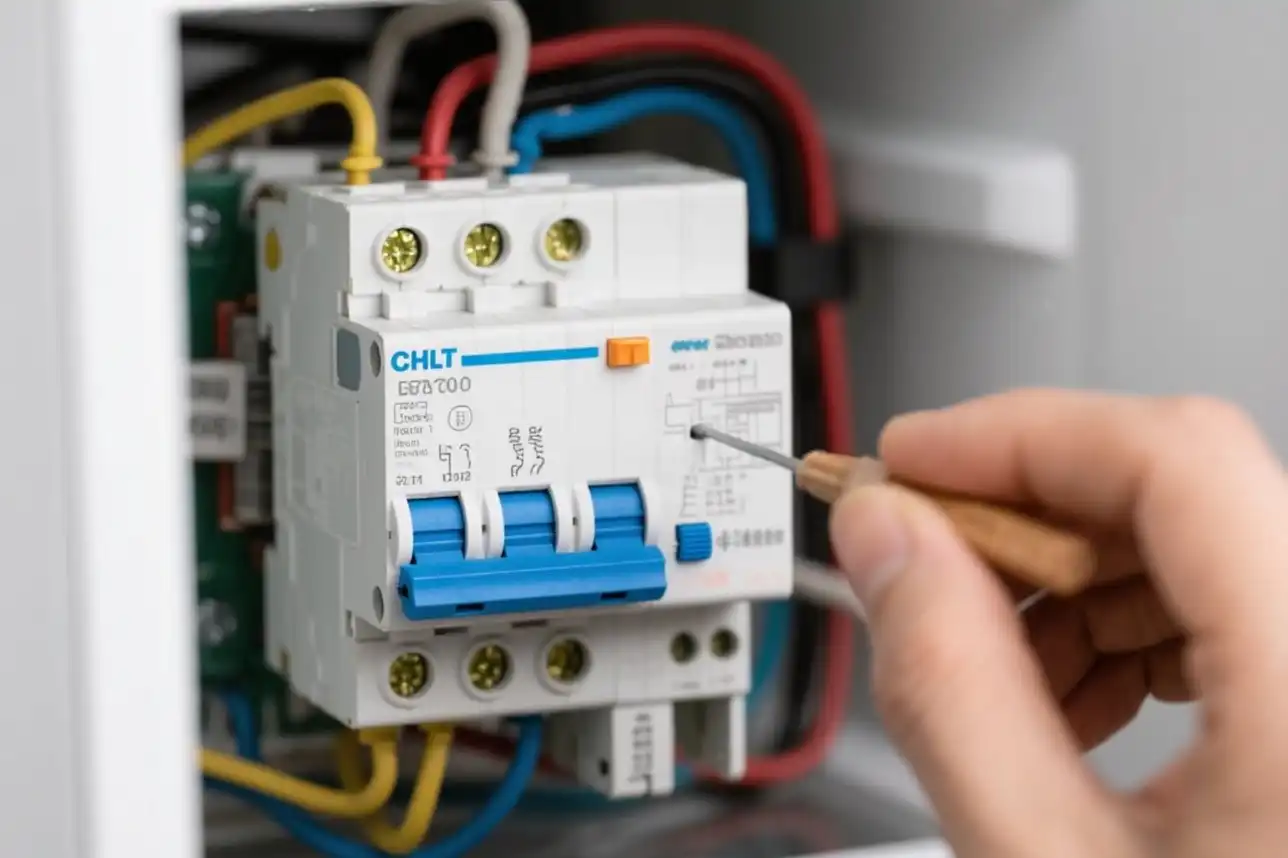
Are you struggling to turn off the Turbo Freeze feature on your GE refrigerator? Maybe your freezer is getting too cold, or you want to save energy by disabling this mode.
Whatever the reason, knowing how to quickly and easily switch off Turbo Freeze can make a big difference in your fridge’s performance and your peace of mind. You’ll discover simple steps to take control of your GE fridge settings, so you get the cooling exactly how you want it.
Keep reading, and you’ll be able to manage your freezer like a pro in no time.
Turbo Freeze Feature
The Turbo Freeze feature in GE refrigerators helps cool food faster. It works by quickly lowering the freezer temperature. This feature is useful when you add many fresh items to the freezer. Turbo Freeze keeps food fresh and safe by freezing it quickly.
What Turbo Freeze Does
Turbo Freeze boosts the freezer’s cooling power. It activates extra fans and lowers the temperature rapidly. This stops ice crystals from forming on your food. The feature runs for a set time and then turns off automatically. It helps maintain food quality and texture by freezing items fast.
Benefits Of Turbo Freeze
- Speeds up the freezing process for new food items
- Prevents loss of moisture and flavor
- Reduces the risk of freezer burn
- Keeps food fresh for a longer time
- Maintains optimal freezer temperature during heavy use

Credit: www.homedepot.com
When To Turn Off Turbo Freeze
Knowing when to turn off Turbo Freeze on your GE refrigerator can save you energy and keep your food fresh the way you want. This feature is designed to speed up the freezing process, but it’s not always needed. Recognizing the right moments to disable it helps maintain the perfect balance in your freezer.
Signs Turbo Freeze Is Active
You might notice your freezer running louder than usual or feeling colder than normal. The Turbo Freeze function ramps up the compressor to freeze items quickly, which often causes these changes.
Another sign is frost building up faster on your freezer walls or food packaging. If you see ice forming unusually fast, Turbo Freeze is likely on. Also, the freezer light might blink or a specific indicator on the control panel could show the feature is active.
Reasons To Disable Turbo Freeze
Keeping Turbo Freeze on all the time can waste energy. If you’re not adding a large batch of unfrozen items, there's no need for this fast freeze mode.
Sometimes, rapid freezing can cause your food to become too hard or change texture. For delicate items like bread or certain fruits, turning off Turbo Freeze helps maintain quality.
Also, if you notice excess frost buildup, disabling Turbo Freeze can reduce the need for frequent defrosting. Have you ever wondered why your freezer feels colder than necessary after a few hours? That’s a good moment to switch off this feature.
Step-by-step Guide To Turn Off Turbo Freeze
Turning off the Turbo Freeze feature on your GE refrigerator can help you save energy and maintain the ideal temperature for your food. This feature is useful for quickly freezing items but may not always be necessary. The following guide walks you through the process clearly and simply, so you can control your fridge settings with confidence.
Locate The Control Panel
The control panel on your GE refrigerator is usually found on the front door or inside the fridge compartment. Look for a digital display with buttons or touch controls. If you’re unsure, check your user manual or the GE website for your specific model’s control panel location.
Have you noticed how easy it is to miss the control panel if it blends with the fridge design? Take a moment to familiarize yourself with its layout before proceeding.
Access Turbo Freeze Settings
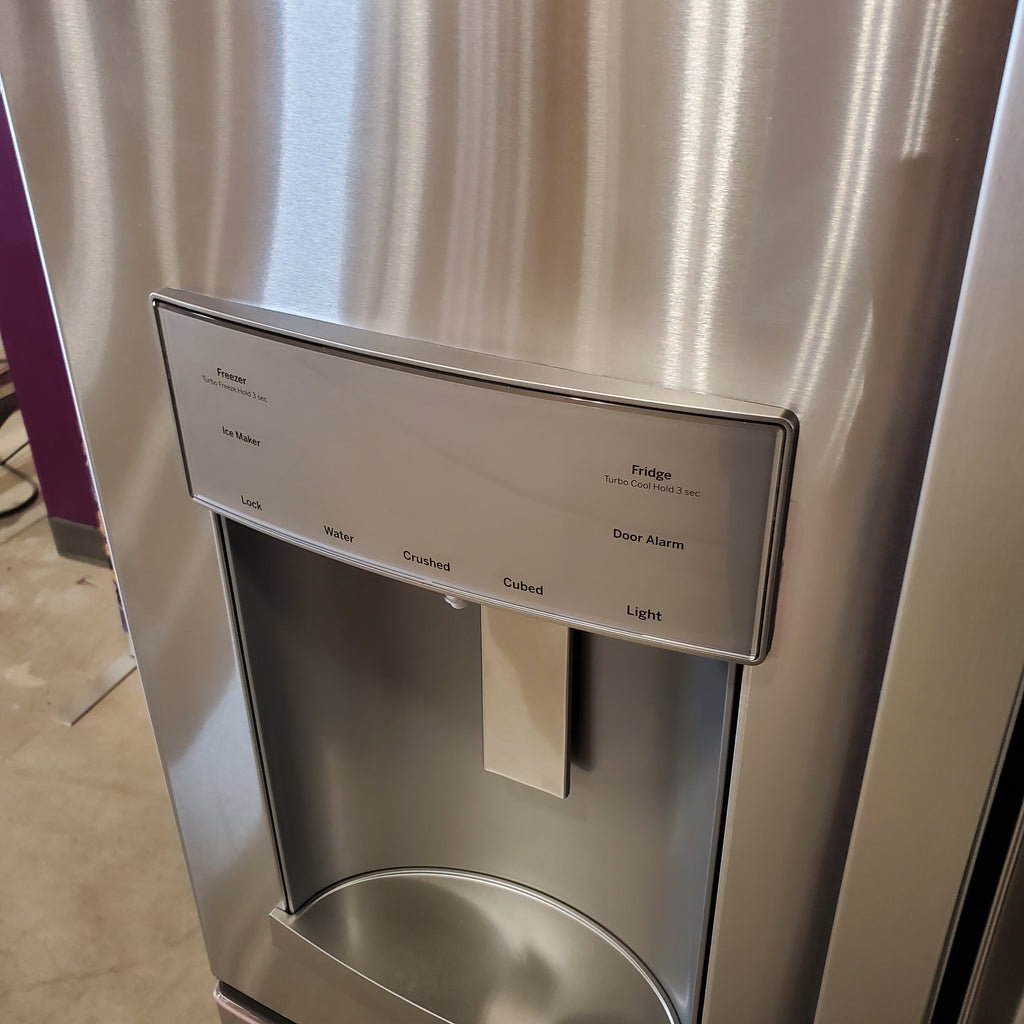
Once you find the control panel, look for a button labeled “Turbo Freeze,” “Fast Freeze,” or something similar. Press this button to access the Turbo Freeze settings. Some models may require holding the button for a few seconds to enter the mode settings.
If the button isn’t clearly marked, try navigating through the menu using arrow keys or the “Settings” button until you find the Turbo Freeze option. Your fridge’s display should confirm when you’ve successfully accessed the Turbo Freeze settings.
Disable Turbo Freeze Mode
To turn off Turbo Freeze, press the Turbo Freeze button again or select the “Off” option within the settings menu. The display will usually indicate when the feature is disabled. On some models, Turbo Freeze automatically turns off after a set time, but manually disabling it ensures it won’t stay active longer than you want.
Have you ever left Turbo Freeze on by accident and wondered why your energy bill spiked? Turning it off when it’s not needed helps avoid unnecessary power use and keeps your fridge running efficiently.
Credit: neuapplianceoutlet.com
Troubleshooting Common Issues
Troubleshooting common issues with your GE Refrigerator's Turbo Freeze feature can save time and prevent unnecessary stress. Whether it's a stubborn Turbo Freeze that won't turn off or an unresponsive control panel, knowing how to tackle these problems can make your day smoother. Let's dive into some practical solutions to keep your refrigerator running efficiently.
Turbo Freeze Won't Turn Off
If your Turbo Freeze feature seems to have a mind of its own, you're not alone. This issue often stems from a simple glitch in the system. Try resetting your refrigerator by unplugging it for a few minutes and then plugging it back in. This can often clear up any temporary hiccups in the system.
Another approach is to check if the Turbo Freeze button is stuck. Sometimes, dirt or debris can cause the button to remain pressed. Clean the button area gently with a damp cloth and see if that resolves the issue.
Control Panel Not Responding
When the control panel becomes unresponsive, it can be frustrating, especially if you're in a hurry. First, ensure that the child lock feature isn't activated, as this can disable the control panel. Look for a lock icon on the panel; if you see it, press and hold the lock button to deactivate it.
If the panel is still not responding, a power cycle might be necessary. Unplug the refrigerator for a few minutes to reset the control board. Upon plugging it back in, see if the control panel regains its functionality.
Have you experienced these issues before? What solutions have worked for you? Share your experiences and tips in the comments below—your insight could be the key to helping someone else with their appliance troubles!
Tips For Maintaining Your Ge Refrigerator
Maintaining your GE refrigerator helps it run smoothly and saves energy. Simple care habits keep food fresh longer. Small steps make a big difference in performance and lifespan.
Regular Cleaning
Clean the inside of your refrigerator every few weeks. Remove old food and wipe shelves with a mild soap solution. Avoid harsh chemicals that can damage surfaces. Clean door seals gently to keep them tight. Dust the coils at the back or bottom to improve cooling. Regular cleaning prevents odors and keeps your fridge efficient.
Optimal Temperature Settings
Set the refrigerator temperature between 37°F and 40°F. Keep the freezer at 0°F for best food preservation. Avoid setting temperatures too low to save energy. Use a fridge thermometer to check the actual temperature. Adjust settings if you notice frost buildup or food spoiling. Proper temperature control helps your GE refrigerator work well and reduce power use.
Credit: www.homedepot.com
Frequently Asked Questions
How Do I Disable Turbo Freeze On My Ge Refrigerator?
To disable Turbo Freeze, press and hold the Turbo Freeze button for 3 seconds. The indicator light will turn off, signaling the feature is deactivated.
What Happens When Turbo Freeze Is Turned Off?
When Turbo Freeze is off, the freezer returns to normal cooling mode. This saves energy and prevents over-freezing of food items.
Can I Turn Off Turbo Freeze Manually Anytime?
Yes, Turbo Freeze can be manually turned off anytime using the control panel button. It is not automatic and requires your input.
Why Should I Turn Off Turbo Freeze On Ge Fridge?
Turning off Turbo Freeze prevents unnecessary power consumption and avoids overly hard freezing, protecting food texture and flavor.
Conclusion
Turning off Turbo Freeze on your GE refrigerator is quick and easy. Just follow the simple steps outlined above. This helps save energy and keeps your fridge working well. Remember to check your fridge settings regularly. Adjusting features like Turbo Freeze can improve your appliance’s efficiency.
Taking care of your refrigerator extends its life and keeps food fresh. Now you can control your GE fridge with confidence and ease.