Is your KitchenAid ice maker acting up? Maybe it’s stopped making ice or is freezing up more than it should.
Don’t worry—you don’t need to call a repair person right away. Learning how to reset your KitchenAid ice maker can fix many common problems quickly and easily. In this guide, you’ll get simple, step-by-step instructions that anyone can follow. By the end, you’ll know exactly how to get your ice maker back to working like new.
Keep reading to save time, avoid frustration, and enjoy perfectly chilled drinks again.
Credit: www.vosstv.com
Signs Your Ice Maker Needs Resetting
Knowing when your KitchenAid ice maker needs resetting can save time and prevent bigger problems. Certain signs clearly show that a reset is necessary. These signs help you understand when to act and keep your ice maker working well.
No Ice Production
The most obvious sign is no ice being made. Your ice maker may stop producing ice completely. This can happen even if the water supply is fine. A reset often fixes this issue and restarts ice making quickly.
Ice Dispenser Issues
Problems with the ice dispenser are another clear warning. The dispenser may jam or fail to release ice properly. It might sound strange noises or stop working. Resetting the ice maker can clear these errors and restore normal function.
Error Codes Displayed
Your KitchenAid ice maker may show error codes on the display panel. These codes indicate specific problems with the machine. Knowing what the codes mean helps decide if a reset is needed. Resetting can often clear these errors and get the ice maker back to work.
Preparing To Reset The Ice Maker
Before you dive into resetting your KitchenAid ice maker, taking a moment to prepare properly can save you time and frustration. Preparation ensures you have everything ready and understand the layout of your appliance, making the reset process smoother and safer. Let’s look at what you need to gather, how to stay safe, and where exactly to find the ice maker.
Gathering Necessary Tools
Having the right tools at hand makes any repair task easier. For resetting your KitchenAid ice maker, you typically need a flathead screwdriver, a flashlight, and possibly a multimeter if you want to check electrical connections.
Keep a soft cloth nearby to handle any moisture or spills. If you’re unsure about tools, checking your KitchenAid manual can clarify what’s required for your specific model.
Safety Precautions
Safety should be your top priority before starting. Always unplug your refrigerator to avoid electric shock while working on the ice maker.
Wear gloves to protect your hands from sharp edges inside the freezer compartment. Also, ensure the area around your fridge is dry and free of clutter to prevent accidents.
Have you ever rushed into a repair only to realize you overlooked a safety step? Taking these precautions can prevent such mishaps.
Locating The Ice Maker
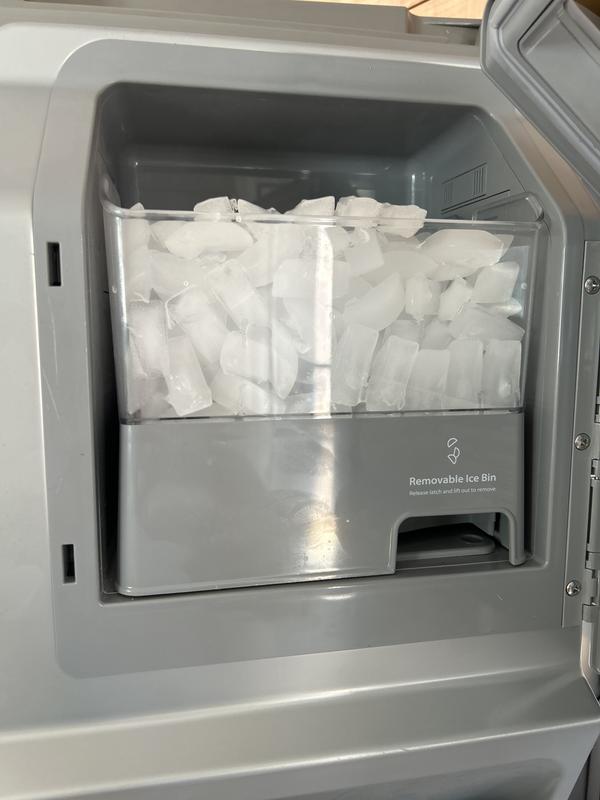
Finding the ice maker quickly is key to an efficient reset. Most KitchenAid ice makers are located inside the freezer, usually on the upper-left side or the back wall.
Use your flashlight to get a clear view, especially if the freezer lighting is dim. Knowing exactly where it sits helps you avoid fumbling and potential damage to other components.
Before you begin, try opening the freezer door and visually scanning for the ice maker’s motor module or ejector arm. Recognizing these parts can make the reset process less intimidating.
Reset Methods For Kitchenaid Ice Makers
Resetting your Kitchenaid ice maker can fix many common problems. It helps clear errors and restore normal function. There are several ways to reset the ice maker. Choose the method that suits your model and situation. Each reset method is easy and quick to follow.
Using The Reset Button
Most Kitchenaid ice makers have a reset button. This button is usually inside the ice maker compartment. Press and hold the reset button for about 10 seconds. Release the button and wait for the ice maker to restart. This process clears minor glitches and resets the machine.
Power Cycle Reset
Power cycling is a simple and effective way to reset the ice maker. First, unplug the refrigerator or turn off its power at the breaker. Wait for one to two minutes to let the system fully power down. Plug the power back in or turn the breaker on. The ice maker will restart and reset itself during this time.
Reset Via Control Panel
Some Kitchenaid models have a control panel for easy resetting. Locate the control panel on the front of the refrigerator or ice maker. Look for the ice maker or reset button on the panel. Press and hold the button until the indicator light flashes or changes. Release the button, and the ice maker will reset through the control panel commands.
Credit: www.kitchenaid.com
Step-by-step Reset Process
Resetting your KitchenAid ice maker can solve many common issues, from slow ice production to error signals. The process is straightforward but requires careful attention to each step to avoid damage. Let’s walk through the reset process clearly so you can get your ice maker working smoothly again.
Turning Off The Ice Maker
Start by locating the power switch on your KitchenAid ice maker. This is usually inside the freezer compartment, either on the ice maker unit itself or on a control panel nearby.
Turn the switch to the Offposition. If your model doesn’t have a switch, unplug the refrigerator or turn off the power at the circuit breaker to ensure the ice maker is completely off.
This pause allows the system to clear any errors and cool down. Have you noticed your ice cubes melting or clumping before a reset? Turning off the unit helps prevent that.
Activating The Reset Function
After the ice maker has been off for about 5 minutes, it’s time to initiate the reset. Some KitchenAid models feature a reset button, often marked with a snowflake icon or labeled “Reset.”
Press and hold this button for about 10 seconds until you hear a chime or see indicator lights flash. This confirms the reset command has been accepted.
If your model lacks a reset button, check the user manual for instructions on performing a manual reset, which may involve holding down a combination of buttons on the control panel.
Restarting The Ice Maker
Once the reset is activated, turn the ice maker back on by flipping the power switch to Onor restoring power to the refrigerator.
Listen for the sound of the motor or water valve activating—this indicates the ice maker has restarted. Keep an eye on the ice bin over the next few hours to confirm ice production resumes.
If ice production doesn’t restart, consider checking the water supply line or the filter. Sometimes, the reset alone isn’t enough if other issues persist.
Troubleshooting Post-reset Issues
After resetting your KitchenAid ice maker, it should work smoothly. But sometimes, issues persist. Understanding these problems can help in resolving them effectively.
Ice Maker Still Not Working
If the ice maker remains inactive, inspect the power connection. Ensure the unit is plugged in securely. Check for any tripped breakers in your electrical panel. Verify the ice maker is switched on. Sometimes, the ice bin might not be placed correctly. Make sure it's aligned properly.
Water Supply Problems
Water flow is crucial for ice production. Inspect the water line for any kinks or leaks. Ensure the water valve is fully open. A clogged filter can also hinder water supply. Replace the filter if necessary. Check the water pressure from your source. Low pressure can affect ice production.
When To Contact Support
If troubleshooting doesn't resolve the issue, it might be time to seek expert help. Contact KitchenAid support if your ice maker remains unresponsive. Persistent issues might indicate a deeper problem. Professional assistance ensures your appliance is in good hands.
Maintaining Your Ice Maker For Longevity
Maintaining your KitchenAid ice maker is key to making sure it works smoothly for years. A well-kept ice maker not only produces cleaner, clearer ice but also prevents unexpected breakdowns. Taking a few simple steps regularly can save you time and money on repairs.
Regular Cleaning Tips
Cleaning your ice maker regularly keeps it running efficiently. Ice buildup and mineral deposits can block water flow and reduce ice quality. Wipe down the ice bin and interior surfaces with a mild detergent and warm water every month.
Don’t forget to clean the ice maker’s exterior, too. This prevents dust and grime from clogging vents or sensors. Have you noticed any strange smells from your ice? That’s often a sign it’s time for a thorough cleaning.
Checking Water Filters
Your ice maker depends on clean water to produce fresh ice cubes. Dirty or clogged filters reduce water flow and can cause ice to taste bad or look cloudy. Replace your water filter every 6 months or according to the manufacturer’s instructions.
Keep a reminder in your calendar or phone. If you skip this step, your ice maker may malfunction or produce less ice. Have you checked your filter recently? It might be time for a quick swap.
Preventive Maintenance Steps
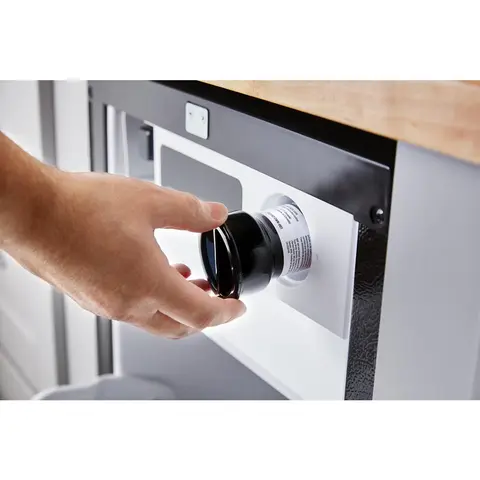
Preventive maintenance can catch small issues before they become big problems. Check hoses and connections for leaks or cracks every few months. Tighten any loose parts to avoid water damage.
Run a diagnostic cycle if your model offers one. This can highlight problems with sensors or the ice-making mechanism. How often do you inspect your ice maker for wear and tear? A little attention goes a long way in extending its life.
Credit: www.yaleappliance.com
Frequently Asked Questions
How Do I Reset My Kitchenaid Ice Maker?
To reset, locate the reset button on the ice maker module. Press and hold it for 10 seconds. Release and wait for the ice maker to restart its cycle. This process clears errors and restores normal operation.
Why Won’t My Kitchenaid Ice Maker Reset?
If the ice maker won’t reset, check the power supply. Ensure the freezer temperature is below 10°F. Inspect the ice maker for jams or broken parts. A faulty control module may require professional repair.
How Often Should I Reset My Kitchenaid Ice Maker?
You only need to reset your ice maker when it stops working or shows errors. Regular maintenance prevents frequent resets. Resetting too often may indicate an underlying issue needing repair.
Can Resetting Fix Kitchenaid Ice Maker Not Making Ice?
Yes, resetting can resolve minor glitches causing no ice production. If the problem persists, check the water supply and freezer temperature. Persistent issues may require technical support.
Conclusion
Resetting your Kitchenaid ice maker is simple and quick. Follow the steps carefully to avoid mistakes. Doing this can fix many common ice maker issues. Keep your appliance working well and enjoy fresh ice daily. Regular resets help maintain ice quality and machine health.
Remember, small fixes can save you time and money. Try these tips the next time your ice maker stops working. Easy maintenance leads to better results and less frustration.